Integrations
ip·Solis connects to your existing infrastructure rather than replacing it. All integration credentials are configured at runtime via Admin → Settings and stored in the app_config table — no container rebuild required when credentials change.
Active Directory / LDAP
Active Directory is the backbone of user identity in ip·Solis. It is used for:
- User validation — confirming that a requester's account exists and is active
- Manager lookup — resolving the requester's manager for approval routing
- Group membership — adding and removing users from groups as part of runbook steps and Group Access automation
- Eligible requestor checks — verifying that a user is a member of a restricted AD group before allowing a request
Configure in Admin → Settings → Active Directory:
| Setting | Description |
|---|---|
| Server | LDAP server hostname or IP |
| Port | Default: 389 (LDAP) or 636 (LDAPS) |
| Bind DN / password | Service account credentials |
| Base DN | Search root for user and group lookups |
| Auth type | NTLM or Kerberos (NTLM signing supported) |
| Consumer attributes | AD field names for department, cost_center, company, employeeID, title |
Portal SSO — OpenID Connect (OIDC)
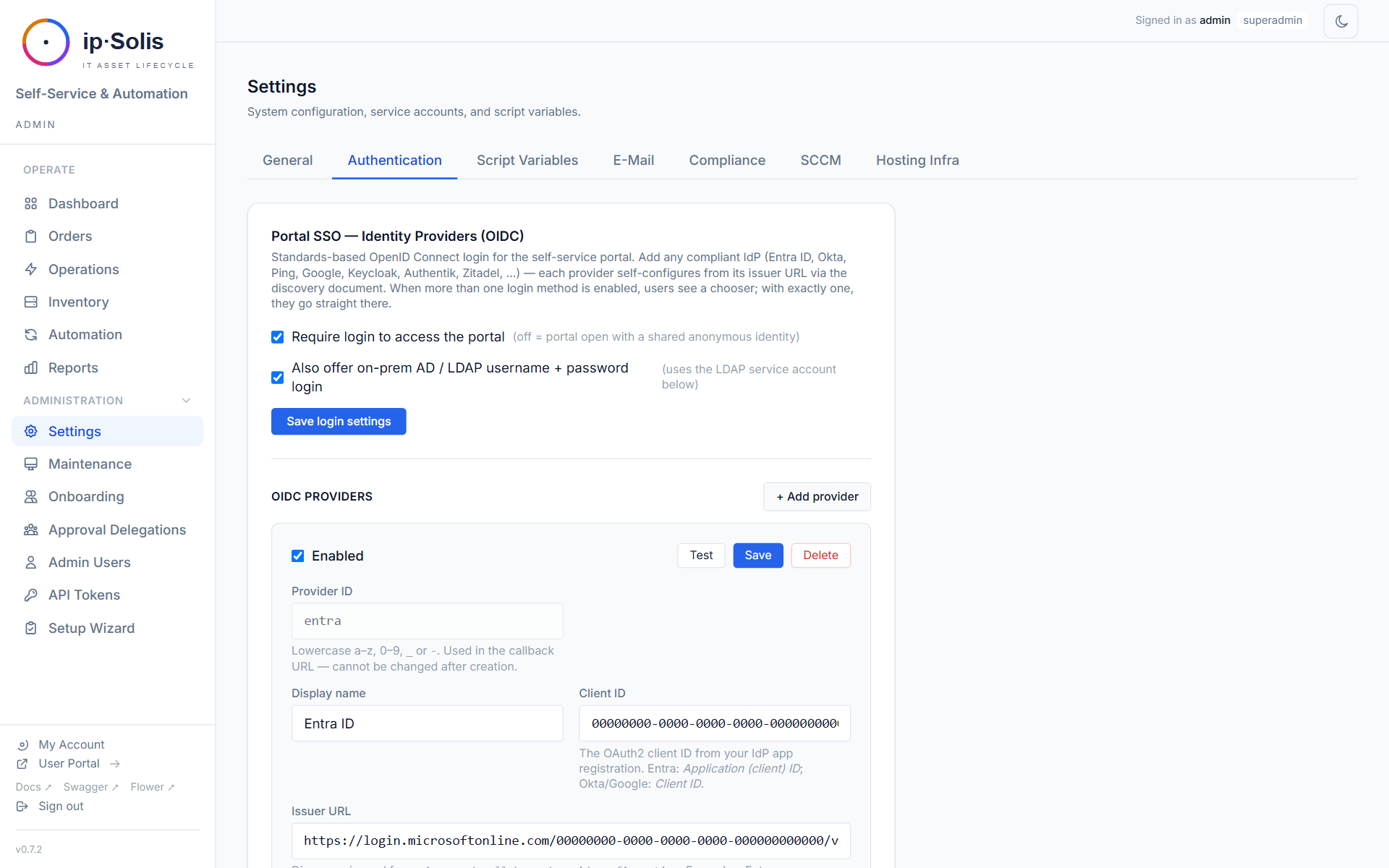
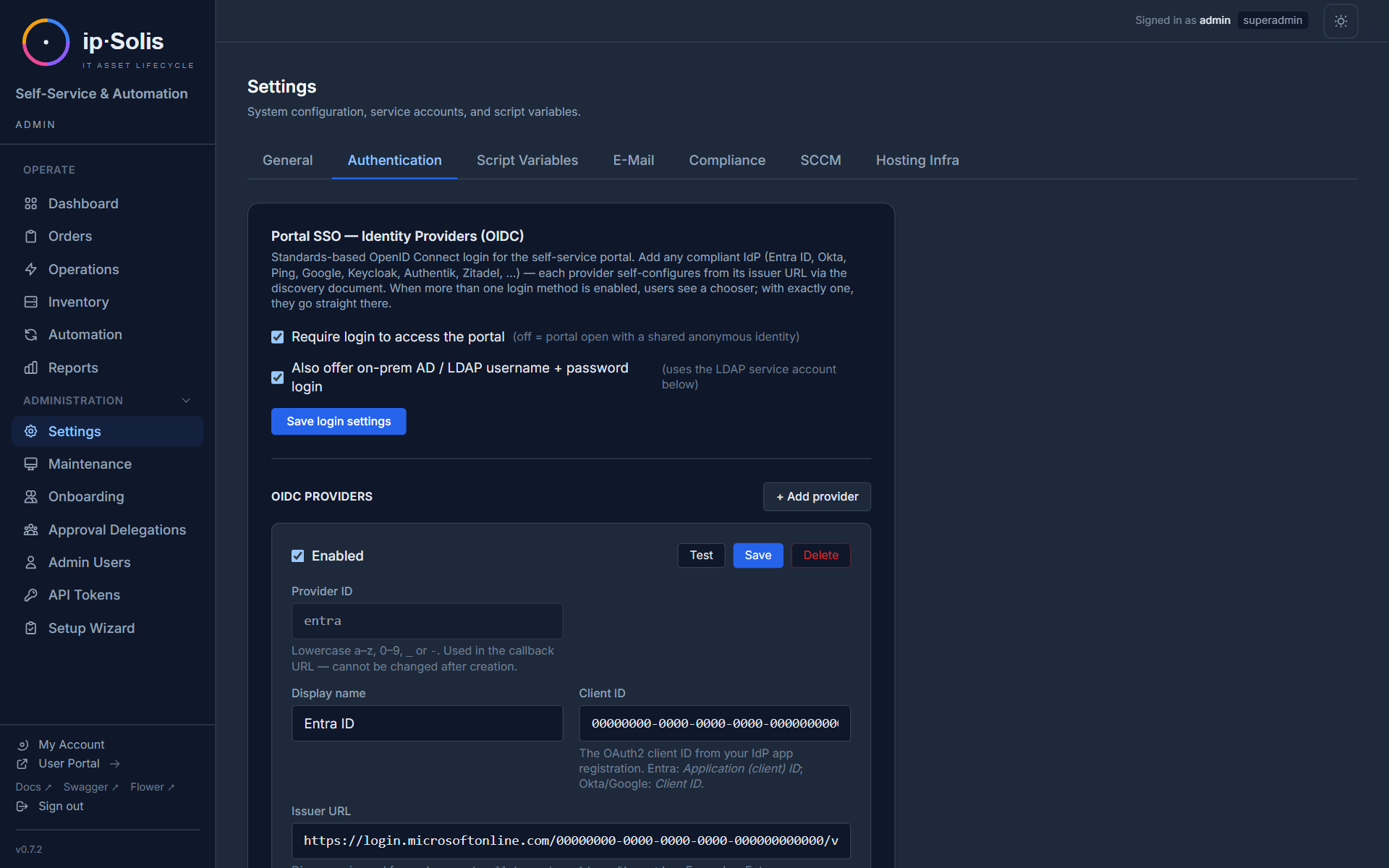
Portal sign-in uses standards-based OpenID Connect. You register one or more identity providers (any compliant IdP — Microsoft Entra ID, Okta, Ping, Google, Keycloak, Authentik, Zitadel, …); each self-configures from its issuer's discovery document. Whether login is required at all is controlled by Require login to access the portal (see Self-Service → Authentication).
Add providers under Admin → Settings → Authentication → OIDC Providers. Per provider:
| Setting | Description |
|---|---|
| Provider ID | Lowercase slug (a–z0-9_-), used in the callback URL; cannot change after creation |
| Display name | Shown on the login chooser (e.g. "Entra ID") |
| Issuer URL | The IdP issuer; discovery is read from <issuer>/.well-known/openid-configuration (Entra: https://login.microsoftonline.com/<tenant>/v2.0, Okta: https://<org>.okta.com, Google: https://accounts.google.com) |
| Client ID / secret | From the IdP app registration |
| Redirect URI | Auto-derived from the portal host as /portal/auth/<provider>/callback — register this exact URI in the IdP app |
| Allowed domains | Optional comma-separated UPN/email domain allow-list |
Use Test on a provider to verify its discovery document is reachable before saving. On-prem LDAP username/password login can be offered alongside OIDC (auth.ldap_enabled).
Entra ID group provisioning — Microsoft Graph
Beyond Entra ID login (OIDC above), ip·Solis can provision Entra (cloud-only) security-group membership as an access target — for M365 / cloud-only customers who don't run on-prem AD. An asset type with an entra_group access target grants/revokes membership on order and revoke, exactly like an AD group.
Configure under Admin → Settings → Compliance → Entra Group Provisioning:
| Setting | Description |
|---|---|
| Tenant ID / Client ID | A dedicated app registration (distinct from the OIDC sign-in app) |
| Client secret | Stored as a secret; secret-store references supported |
The app registration needs Application permissions GroupMember.ReadWrite.All + User.Read.All (admin-consented). On the asset type, the group identifier is the Entra group's object id (GUID). Grant/revoke are idempotent and recorded in the same order change log as AD groups. Use Test Credentials to verify the client-credentials flow.
SCIM 2.0
ip·Solis exposes a full joiner / mover / leaver SCIM 2.0 endpoint at /scim/v2/* — a drop-in provisioning target for Okta, SailPoint, and Ping.
Leaver (always on):
DELETE /scim/v2/Users/{id}— triggers full leaver processingPATCH/PUT /scim/v2/Users/{id}withactive=false— triggers full leaver processing
Joiner (opt-in, scim.joiner_enabled): a SCIM Create (POST /Users) — or a reactivation — maps the user's SCIM attributes (core + enterprise extension: department, costCenter, employeeNumber, organization, title) to ip·Solis attributes, evaluates your assignment rules, and orders the matched bundles. Idempotent — asset types the user already holds are skipped.
Mover (scim.mover_mode): when an attribute change arrives (PUT replace or PATCH), ip·Solis re-evaluates the rules against the new attributes and reconciles entitlements:
disabled— attribute changes are ignoredadditions_only— order newly-entitled bundles; never revokereconcile— additions plus revoke entitlements the user no longer matches
Auto-revoke is strictly limited to rule / SCIM-provisioned access; self-service and manually-placed orders are never auto-revoked. Because ip·Solis has no local user store, mover diffing uses a minimal last-seen identity projection (scim_identities) populated on each SCIM write.
List filters: GET /Users?filter= supports the full RFC 7644 §3.4.2.2 grammar — comparison operators eq ne co sw ew gt ge lt le, presence pr, logical and / or / not, and parenthesised grouping. A malformed filter returns 400 invalidFilter.
Groups: /Groups is a read-only shim (empty list) — ip·Solis models group membership in Active Directory, not SCIM.
Authentication: mint a token with scim:read + scim:write scopes from Admin → API Tokens and paste it into your IdP connector. Enable joiner / mover under Settings → Compliance → SCIM.
See Lifecycle & Asset Pool → HR Leaver Flow for leaver behaviour and Onboarding bundles for the rule engine.
HR Leaver Webhook
A purpose-built webhook at POST /hr/leaver for HR systems that push termination events. Supported natively for Workday, SAP SuccessFactors, Microsoft Graph, and a generic ip·Solis-native format.
Authentication: scoped API token (scope hr:leaver) or HMAC-SHA256 body signing using WEBHOOK_SECRET_TOKEN.
See Lifecycle & Asset Pool → HR Leaver Flow for payload formats and full documentation.
ServiceNow Webhook
ip·Solis can receive order dispatch requests from ServiceNow (or any HTTP-capable workflow tool) via an inbound webhook at POST /webhook/servicenow. The webhook creates an order and immediately dispatches the appropriate runbook — ServiceNow-originated orders go through the same approval workflows, capacity checks, runbooks, and audit trail as portal orders.
Authentication
Two authentication paths are supported. Either is sufficient; both can coexist.
Bearer token (recommended for new integrations)
Mint a named API token with scope webhook:in from Admin → API Tokens. Pass it in the Authorization header:
Authorization: Bearer xpat_…
Bearer tokens are individually revocable from the Admin UI without touching the running container or rotating a shared secret.
HMAC-SHA256 signature (legacy / back-compat)
Configure a shared secret under Admin → Settings → ServiceNow (env var WEBHOOK_SECRET_TOKEN). Sign the raw request body with HMAC-SHA256 and send the result as:
X-Hub-Signature-256: sha256=<hex-digest>
This is the GitHub-compatible body-signing format. If both headers are present, Bearer takes precedence.
Request Format
Endpoint: POST /webhook/servicenow
Content-Type: application/json
Payload Fields
| Field | Type | Required | Description |
|---|---|---|---|
servicenow_ref |
string | ✓ | ServiceNow RITM number (e.g. RITM0012345). Used as idempotency key — a second POST with the same value returns 409 Conflict. |
snow_req |
string | — | ServiceNow REQ number (e.g. REQ0009876). Stored for cross-reference in the order detail and audit log. |
action |
string | ✓ | "provision" or "delete". Determines which runbook is dispatched. |
user_email |
string (email) | ✓ | Email address of the user the asset is assigned to. |
user_name |
string | ✓ | Display name of the user (used in notifications and the order UI). |
owner_email |
string (email) | — | If the asset has a distinct owner (e.g. ordered on behalf of someone), their email. Defaults to user_email if omitted. |
owner_name |
string | — | Display name of the owner. |
asset_type_name |
string | ✓ | Exact name of the asset type as configured in ip·Solis (e.g. "Standard VDI"). Returns 400 if not found. |
requested_from |
ISO 8601 datetime | ✓ | Start of the assignment window (e.g. "2026-06-13T00:00:00Z"). |
requested_until |
ISO 8601 datetime | ✓ | End of the assignment window / expiry date. |
rdp_users |
array of strings | — | Additional RDP users to grant access. Only applies to asset types with allow_user_lists enabled. |
admin_users |
array of strings | — | Additional admin users to grant access. Same restriction as rdp_users. |
config |
object | — | Free-form key/value map for custom asset attributes defined on the asset type. Keys must match the attribute key field on the asset definition. Values are stored as the order's config JSON and are accessible in runbook steps as $PARAMS.attr_<key> context variables. |
Example Request
curl -X POST https://ipsolis.example.com/webhook/servicenow \
  -H "Authorization: Bearer xpat_abc123..." \
  -H "Content-Type: application/json" \
  -d '{
    "servicenow_ref": "RITM0012345",
    "snow_req": "REQ0009876",
    "action": "provision",
    "user_email": "jane.doe@example.com",
    "user_name": "Jane Doe",
    "asset_type_name": "Standard VDI",
    "requested_from": "2026-06-13T00:00:00Z",
    "requested_until": "2026-07-13T00:00:00Z",
    "config": {
      "project_code": "EU-FINANCE-2026",
      "cost_center": "CC-4400"
    }
  }'
Response
On success the endpoint returns 201 Created with the newly created order as JSON:
{
  "id": 312,
  "servicenow_ref": "RITM0012345",
  "snow_req": "REQ0009876",
  "action": "provision",
  "status": "processing",
  "user_email": "jane.doe@example.com",
  "user_name": "Jane Doe",
  "owner_email": null,
  "owner_name": null,
  "asset_type_id": 3,
  "assigned_asset_id": null,
  "rdp_users": [],
  "admin_users": [],
  "requested_from": "2026-06-13T00:00:00Z",
  "requested_until": "2026-07-13T00:00:00Z",
  "celery_task_id": "a3f2c1d0-84e7-4b91-bc2e-9f1a0e5d3c88",
  "config": {
    "project_code": "EU-FINANCE-2026",
    "cost_center": "CC-4400"
  },
  "error_message": null,
  "created_at": "2026-06-13T21:07:00Z",
  "updated_at": "2026-06-13T21:07:01Z",
  "steps": []
}
Notable fields in the response:
| Field | Notes |
|---|---|
id |
ip·Solis order ID — use this to poll order status via GET /orders/{id} |
status |
"processing" once dispatched; "pending_approval" if the asset type requires approval before the runbook runs |
assigned_asset_id |
null at creation time for capacity_pooled types — populated by the runbook once an asset is allocated |
celery_task_id |
Celery task UUID — visible in Flower for debugging |
steps |
Empty at creation; populated as the runbook executes |
The order is already dispatched to the worker by the time the response arrives.
Capacity and Quota Checks
For action: provision, ip·Solis enforces the same pre-flight checks as portal orders before creating anything:
- Pool capacity — if the asset type is
capacity_pooledand has a pool size limit, the request is rejected with429when no capacity is available. - Per-user quota — if
max_per_useris set on the asset type, the request is rejected with429if the user already holds that many active instances.
Idempotency
servicenow_ref is a unique key. Submitting the same RITM number a second time returns:
HTTP 409 Conflict
{"detail": "Order with servicenow_ref 'RITM0012345' already exists"}
This allows ServiceNow to safely retry a failed webhook delivery without creating duplicate orders.
Error Reference
| Status | Cause |
|---|---|
400 Bad Request |
asset_type_name not found in ip·Solis |
401 Unauthorized |
Missing or invalid authentication (no Bearer token and no valid HMAC signature) |
403 Forbidden |
Bearer token present but lacks webhook:in scope |
409 Conflict |
servicenow_ref already exists (duplicate delivery) |
422 Unprocessable Entity |
Payload validation error (missing required field, invalid email, etc.) |
429 Too Many Requests |
Pool capacity or per-user quota exceeded |
Audit Trail
Every webhook-created order appears in Admin → Audit Log with triggered_by set to either webhook:token:<token-name> (Bearer path) or webhook:hmac (HMAC path), making it possible to distinguish ServiceNow-driven orders from portal and API orders at a glance.
VMware vSphere
vSphere VM lifecycle operations are executed via PowerCLI scripts stored in the script module store (category: vmware). The worker container runs pwsh (PowerShell 7 on Linux) with SSL certificate bypass pre-configured for self-signed vCenter certificates.
Configure in Admin → Settings → VMware vSphere:
| Setting | Description |
|---|---|
| vCenter server | Hostname or IP |
| Username / password | Service account with VM management permissions |
vSphere operations (power on/off, clone, delete, reconfigure) are implemented as script modules that are called from runbook steps. Add these scripts to your asset type runbooks under Admin → Asset Definitions → Runbooks.
XenServer / XCP-ng
XenServer and XCP-ng VM lifecycle operations follow the same pattern as vSphere — PowerShell scripts stored as script modules (category: xenserver) and executed via pwsh in the worker container.
Configure in Admin → Settings → XenServer/XCP-ng:
| Setting | Description |
|---|---|
| XenServer host | Pool master hostname or IP |
| Username / password | XenAPI credentials |
SSL certificate prompts are auto-answered via stdin injection so scripts don't hang on untrusted certificates.
SCCM
SCCM integration enables automated OS deployment workflows:
- Task sequence triggers — kick off an SCCM task sequence for a specific device
- Device registration (into SCCM) — create a computer record in SCCM via the AdminService REST API (Kerberos auth). This is an outbound write during provisioning; ip·Solis does not currently read/import existing devices from an SCCM collection into its asset pool.
- Device delete — remove a computer record after decommissioning
- Status polling — the
sccm_probeCelery workflow polls SCCM for task sequence completion status and advances the order state accordingly
Configure in Admin → Settings → SCCM:
| Setting | Description |
|---|---|
| SCCM server | Site server hostname |
| AdminService URL | https://<server>/AdminService/v1.0 |
| Kerberos principal | Service account UPN |
| Kerberos password | Service account password |
SMTP
All transactional email (approval notifications, reminders, expiry warnings, leaver notifications, health alerts) is sent via Python's smtplib.
Configure in Admin → Settings → SMTP:
| Setting | Description |
|---|---|
| Host / port | SMTP server address and port |
| Username / password | SMTP authentication credentials |
| From address | Sender address shown in emails |
| TLS mode | STARTTLS or SSL/TLS |
| Reply-to | Optional reply-to address for approval emails |
Use Send Test Email to verify the connection before saving.
Authentication options
ip·Solis speaks plain SMTP (STARTTLS/SSL + username/password). This is provider-agnostic by design — it works with any mail system, not just Microsoft or Google — so there is a single SMTP configuration to manage regardless of your identity provider. ip·Solis does not use vendor-specific send APIs (e.g. Microsoft Graph), which would add a second, Microsoft-only configuration path.
How you authenticate depends on your mail platform:
| Scenario | Recommended approach |
|---|---|
| Dedicated/internal SMTP server, or a mail relay (SES, SendGrid, Mailgun, internal Postfix/Exchange smarthost) | Use the relay's username + API key/password directly. Recommended — the relay handles provider-specific auth, ip·Solis keeps one simple SMTP config. |
| Microsoft 365 with MFA enabled | Create an app password for a dedicated service mailbox and use it as the SMTP password. Works today, but see the caveat below. |
| Google Workspace with 2-step verification | Create an app password for a dedicated service account and use it as the SMTP password. |
Microsoft 365 caveat: App passwords depend on legacy per-user MFA and are unavailable when Security Defaults are enabled; Microsoft is also phasing out Basic Auth for SMTP. For a future-proof M365 setup, point ip·Solis at an SMTP relay / mail connector (option 1 above) rather than connecting to
smtp-mail.outlook.comdirectly with an app password. This keeps ip·Solis on one provider-agnostic SMTP path and moves the M365-specific auth to the relay, where it belongs.
Token-based SMTP (XOAUTH2) and vendor send APIs are intentionally not implemented: they
require provider-specific token handling and a second configuration surface, for little gain
over a relay.
Chat notifications — Microsoft Teams & Slack
Approval requests (and reminders) can post to Microsoft Teams and/or Slack in parallel with email. Both carry the same channel-agnostic one-click approve link (a signed token — the approver decides without a portal login), so a request can arrive by email, Teams, and Slack at once.
| Channel | Setting | Delivery |
|---|---|---|
| Teams | teams.mode + Workflows webhook URL |
Adaptive Card (with an @mention of the approver so Teams raises a real notification) |
| Slack | slack.mode + Incoming Webhook URL |
Block Kit message |
Configure both under Admin → Settings (Teams and Slack cards), each with a Send Test button. They run independently — enabling Slack does not affect Teams, and neither replaces email. The same channels carry certification and cost-threshold notifications.
External Secret Backends
Replace plaintext credentials in app_config with references to an external secret manager. ip·Solis resolves references at read time with a 60-second process-local TTL cache.
Resolution is opt-in per credential: a value entered as plaintext stays plaintext; only values stored as a reference are dereferenced. It applies to every integration credential ip·Solis reads at runtime — Active Directory, SMTP, SCCM, OIDC, and the Teams/Slack webhooks. It does not apply to admin login accounts: those are stored as one-way password hashes (never plaintext), so there is nothing to externalize.
Supported backends:
| Backend | Reference format |
|---|---|
| HashiCorp Vault | vault://<path>[#<field>] |
| CyberArk CCP/AIM | ccp://[<safe>/]<object> |
| Azure Key Vault | azurekv://<vault>/<secret> |
| AWS Secrets Manager | awssm://<secret-id>[#<field>] |
| CyberArk Conjur | conjur://<identifier>[#<field>] |
Plain string values continue to work unchanged, so you can migrate one credential at a time.
Vault auth: static token, AppRole (role_id + secret_id), or Kubernetes JWT.
Azure KV auth: Azure AD service principal (independent of the Entra ID SSO config).
AWS auth: static IAM keys or native sts:AssumeRole with automatic session refresh.
Bulk migration tool: Settings → Compliance → External Secret Backend → Migrate plaintext secrets to backend walks all is_secret=true rows, pushes plaintext values to the active backend, and replaces them with references. Includes a dry-run preview and per-row report.
API Tokens
Per-integration named API tokens replace the single shared X-Admin-Key with individually revocable, expiring, scoped bearer tokens.
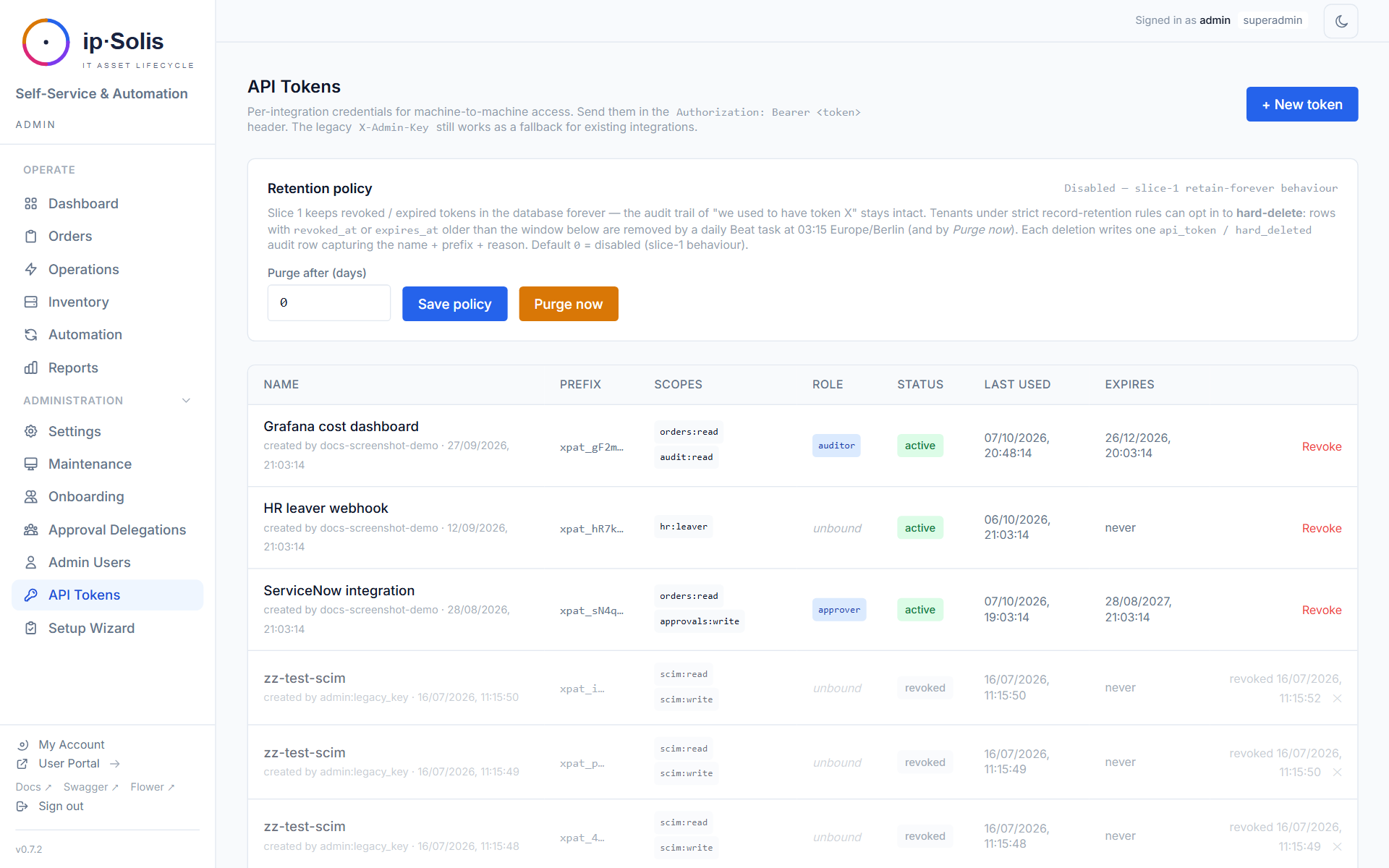
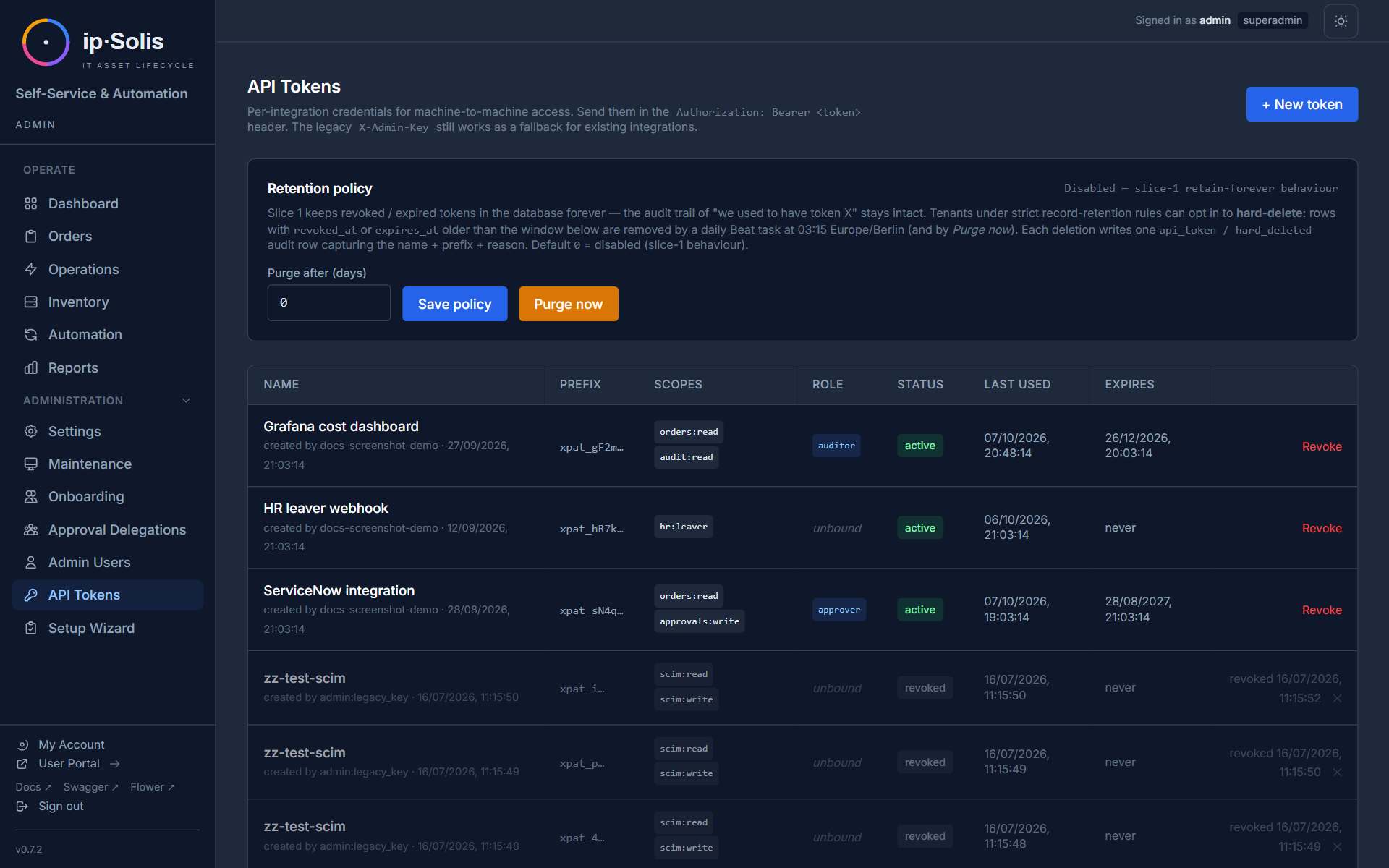
Tokens are stored as SHA-256 hashes. The raw token (xpat_…) is shown once on creation and cannot be recovered — treat it like a password.
Scopes
| Scope | Access |
|---|---|
admin:* |
Full admin API access |
admin:read |
Read-only admin access |
orders:write |
Create orders via the REST API |
webhook:in |
Call the ServiceNow inbound webhook (POST /webhook/servicenow) |
hr:leaver |
Call the HR leaver webhook |
scim:read |
SCIM GET operations |
scim:write |
SCIM POST/PUT/PATCH/DELETE (triggers leaver flow) |
Role Binding
Tokens may be issued with a specific role (superadmin, admin, approver, auditor, helpdesk). Role-gated routes enforce both scope and role. A creator can only issue tokens at or below their own role — no privilege escalation.
Hard-Delete Retention
An opt-in daily task (api-token-purge-daily) hard-deletes tokens whose revoked_at or expires_at is older than api_tokens.purge_after_days. Default is 0 (retain forever). Each hard-delete produces an audit row.
Legacy `X-Admin-Key`
The original X-Admin-Key header continues to work as a virtual superadmin credential, so existing integrations don't break on upgrade. It is recommended to migrate to named API tokens for new integrations.